Where CGI Is Headed: Real Time, AI, and Virtual Production
Real Time Rendering: “Final-ish” Images While You Work
Virtual Production: CGI That Shows Up on Set
AI Assisted CGI: Faster First Passes, Not One-Click Movies
What People Argue About Online (And Why You Should Care)
If You’re New, Here’s a Smart Way to Start
Summary
References
It almost seems impossible to see a studio movie that doesn’t contain some form of digital enhancement.
From the biggest tentpole blockbusters to smaller productions, the use of computers in storytelling is widespread among filmmakers. Let’s take a look at how and why that is…
What Does CGI Stand For?
CGI stands for Computer Generated Imagery. It’s used to create and enhance visuals across a variety of mediums, ranging from movies to TV to video games, to commercials to music videos. It’s also utilized in print media and simulations.
Though the process is highly complex and multifaceted, CGI is chiefly created using algorithms to build multifaceted fractal patterns in a computer. These patterns are then shifted, molded and shaped to resemble whatever image the animator is trying to create.
During the course of filmmaking history, visual effects have evolved drastically . The earliest effects were produced on set during production, within the camera (also known as in-camera effects). These were simple jump cuts or were created by using miniatures, back projection, or matte paintings. Optical effects came sometime later, using film, light, shadow, lenses and/or chemical processes to produce cinematic effects. As technology evolved, its uses became more widespread within the filmmaking community, until finally culminating in computer graphics. This is where art and science intersect to give us the must-be-seen-to-be-believed visuals in modern cinema we know today..
How The CGI Process Is Done
There are a series of steps, both creative and technical, involved in creating CGI animation. Let’s dive into them…
Modeling
Modeling is the method of building a 3D mathematical coordinate-based representation of any surface of an object (whether animate or inanimate) using software that can manipulate and control edges, vertices, and polygons in a simulated computerized space. One method of doing this is with 3D sculpting (think clay sculpting, only digitized), where the artist manipulates the image by cutting, pulling and smoothing it as they desire. Another 3D modeling technique is laser scanning. In laser scanning, the computer scans an actual object and then generates a digital rendering of it.
Texturing
This is the process of adding visual dimension to the digital rendering as needed. This is where the decisions are executed to start to bring life to an image by making something appear smooth or rough, soft or hard, matt or glossy, all dependent on the ultimate creative goal of the artist. The greater the detail to the texturing process, the more likely it is that an image will appear authentic.
Lighting
Lighting is key to creating a photoreal look for a digital image. How visible an object should appear or how shaded it can be are the first notions taken into considering in this step. Lighting can also be used to deepen the perception of an image by evoking mood, so how much or how little light is shed on an object needs to be measured before it’s used. The same technical jargon is applied to CGI animation as on an actual film production set, so CGI animators use terms like “spotlights”, “area lights” and “softboxes” when they’re describing how to illuminate a digital object.
Animation
It’s in this process that objects come to life and actually move around. Animation can breathe true life into an image. To accomplish this, start and endpoints for actions need to be delineated in the computer. These endpoints are called keyframes and they’re used as markers for the action, signaling it where to start and stop. Animating the camera, having it move in accordance with the object/image to best capture its look, is also a part of the animation process. As it is with lighting, animating the camera assists in evoking emotion from an image.
Simulations
Simulations recreate the movements of real-world elements (think water, fire, smoke, cloth and hair, etc.). Often lesser-thought of (in some cases), smaller details, can make or break the believability of an image.
Rendering
This step’s a little bit like baking a cake. It’s during the rendering phase that all the artist’s elements are placed into a single file and concentrated together. Every component here needs to be balanced properly in order to create a photoreal look.
Compositing
This is the final stage of the process. Here, the finishing touches are placed on the image. CGI involves layers upon layers of digital information and all the elements involved – lighting, shadows, reflections, colors, refractions, depth of field and motion blur – can be adjusted and fine-tuned to match the artist’s specific intent. This last step involves careful and unique precision, as this is the image as it will be seen by an audience.
As all these steps require their own niche responsibilities and processes, a lot of time and energy goes into transforming an idea to a final composited render. In fact, a 60-90 second CGI animation takes, on average, between 8-10 weeks to render. The exact time is dependent on how simple, complex, long and short the animation itself is.
CGI vs. Practical Effects
CGI and practical effects are entirely separate fields. While their ultimate effect may be the same (making an audience believe something is real when it isn’t), there are a number of differences between practical and CGI effects in filmmaking. Some of these include:
Means of creation
Time and cost
Interactivity with environment and live actors
Aesthetic
Zooming in closer on these…
Means of Creation
Practical effects use physical, practical elements that can be modified and manipulated during production. They’ll tend to use makeup, prosthetics, miniatures, puppets and/or animatronics.
CGI employs computer software to create their effects. The work is done entirely on a digital level.
Time and Cost
Depending on what they are, practical effects can be expensive or cheap. Intricate models tend to cost more while some old-school effects are often done cheaply and on the fly.
CGI has very few cost-effective options, as state-of-the-art computing equipment, talented and skilled artists, and a meticulous, costly post-production process are all necessities of this option.
Interactivity with Environment and Live Actors
Practical effects exist on set, as tactile elements. This is commonly most helpful to the actors, who have a physical space to move within and react to realistically. It can also lead to some challenges when it comes to set design and cost.
CGI effects are all added in later, so there’s often very little for a cast to interact with when it comes to computer effects-heavy productions.
Aesthetic
Practical effects tend to carry a more tangible and realistic quality, bringing a greater sense of authenticity to a film.
While there are relatively no limits with CGI, the downside can be a fabricated-looking image that may pull an audience out of the movie.
Balancing between CGI and Practical Effects
Filmmakers often balance a mixture of CGI and practical effects to achieve a desired visual outcome. This requires considering a number of factors, including:
Story and tone
Budget
Integration
Enhancing practical effects with CGI
Let’s have a closer look at these…
Story and Tone
It’s always best (when possible) to let the script decide what an effect should ultimately look like. Some films call for a strictly realistic look and feel while others lean more into fantastical, genre-inspired aesthetics.
Budget
Typically, as the saying goes, you get what you pay for. This is especially true of cheap CGI, which can often look stunningly fake and completely dispel a film’s look and feel.
Take a look at the rendition Dwayne Johnson in THE SCORPION KING for more on that idea.
Integration
Integration of CGI and practical effects has a tendency to lead to some of the most successful uses of both methods. Filmmakers will work closely with both practical and digital departments to ensure a seamless blend of elements.
Watch this iconic T-Rex in the rain scene from JURASSIC PARK and see if you can determine where the practical ends and the CGI starts.
Enhancing Practical Effects With CGI
An extension of the integration idea, oftentimes practical effects (or sets) are augmented and detailed to more visceral levels. MAX MAD: FURY ROAD deftly combines live action with practical effects to maximize the film’s impactful visuals and sequences.4
Let’s Talk About Some Firsts In CGI
What Was The First Movie To Use CGI?
Alfred Hitchcock’s 1958 film VERTIGO was the first motion picture to use CGI. Hitchcock hired computer animation pioneer John Whitney to create the opening sequence. Whitney used an 850-pound anti-aircraft targeting computer to record animation cels. He suspended a pendulum from the ceiling which held a pen above the cels. The movement of the pendulum in relation to the rotation of the cels generated the spiral drawings used in VERTIGO’s opening sequence1. You can watch the scene here.
Who Was The First CGI Character?
The first character to be created entirely with computer graphics imagery was the stained-glass knight in the 1985 film YOUNG SHERLOCK HOLMES. Special effects wizard John Lasseter (who would go on to become the Animation Chief at Pixar) spearheaded the process, which involved the character painted into the film using a laser2. The process took roughly six months to create and the scene can be found by clicking this link.
What Was The First CGI Movie?
TOY STORY (1995) was the first feature-length, computer-generated film. It was Pixar’s first movie and would subsequently launch an entire genre of feature-length, computer animated films.
Specific Uses of CGI
In addition to creating characters and worlds, here are a few more specific uses of CGI…
3D Motion Capture
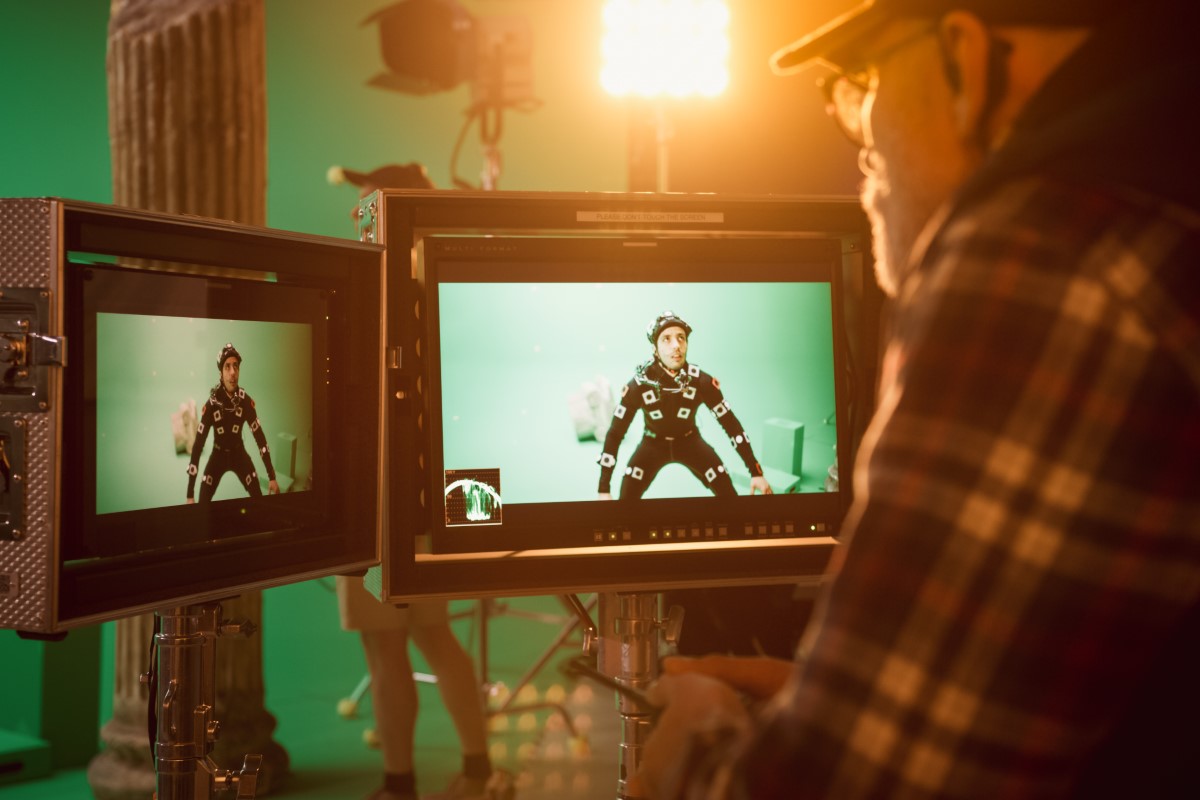
The character of Gollum in Peter Jackson’s THE LORD OF THE RINGS trilogy was a groundbreaking achievement. It was created by using motion capture (“mocap” for short) on actor Andy Serkis’ face and body. The footage was later combined with CGI to create the iconic character.
Aging/De-Aging Actors
Actors and actresses have been made to look decades older or younger, depending on a movie’s needs. Chris Evans was made to look years past his age in AVENGERS END GAME while Robert DeNiro, Al Pacino and Joe Pesci were made significantly younger in THE IRISHMAN. To accomplish this, CGI overlays are applied to a digital image of the actor depicted.
Battle Scenes
We mentioned THE LORD OF THE RINGS, which is rife with epic-sized combat set-pieces, but STARSHIP TROOPERS was the first film to include an enormous, sprawling CGI battle scene. Creating and fine-tuning CGI battle scenes has been an enormous cost-saver to production; locations, actions, props, extras, stunt people, wardrobe are all built digitally and rendered as intended (unpredictable and inclement weather also isn’t a problem when it comes to using CGI to create these types of scenes).
Fur and Hair
The thinnest, finest elements can sometimes be the most challenging to recreate. Among many others, the movies AQUAMAN and CATS have employed CGI for this purpose. Rendering images of hair and fur requires intensive study (details from exactly how hair appears against different background to the way fur sways and moves are heavily scrutinized) as these types of images can easily fall short of their intended design, undermining the effect.
Bullet Time
Bullet time is a CGI technique that gives the impression of detaching the camera from its subject. It’s a stunning depth-enhancement technique that seems to stretch time and augment details as a scene plays out. THE MATRIX was the first film to use this system (it involved 120 still cameras) and also coined the phrase itself.3
A Look Ahead
CGI is constantly evolving. While a fear that computer imagery may one day replace actors seems to be growing, that level of digitization is clearly a long way off. Even though the technology of motion capture has allowed for animators to mimic the movements of the human body to jaw-dropping (but just shy of the real thing) results for over a decade now, we still need actual actors to get the nuances and movements of human beings just right. Computers require an initial source-point, in this instance, an actor, to build the expression and movement libraries for their characters. Human facial expressions are among most intricate, complex and thus far, difficult images to render believably.
Where CGI Is Headed: Real Time, AI, and Virtual Production
If you came here asking “what is CGI,” you probably also want the modern version of the answer. Because CGI isn’t just “stuff added in post” anymore. A lot of it is moving upstream into planning, shooting, and even on-set decision-making. The big shift is speed: faster previews, faster iteration, faster feedback. That changes how stories get built, and it changes what skills get you hired.
Also, a quick reality check: none of these tools magically make taste optional. They make you faster, not better. If you develop an eye for lighting, composition, and believable motion, these new workflows can feel like a cheat code. If you don’t, they can help you create bad visuals at record speed.
Real Time Rendering: “Final-ish” Images While You Work
Real time rendering means you can see a convincing version of a shot immediately, instead of waiting for long renders just to learn you hate the lighting. Game engines like Unreal Engine pushed this into the mainstream, and now they show up everywhere from previs to final pixels on certain projects. Even when a show still finishes in traditional VFX software, real time tools can guide creative decisions early, when changes are cheaper.
For beginners, this is huge. You can build a scene, light it, and move a camera through it like you are directing a live set. That makes CGI feel less like “computer homework” and more like filmmaking. If you want a practical way to learn, start by recreating a simple real-world location, then light it three different ways: bright comedy, gritty thriller, and moody sci-fi.
Virtual Production: CGI That Shows Up on Set
Virtual production is what happens when CGI stops being a placeholder and becomes part of the shoot. The headline version is the LED volume, giant LED walls that display a digital environment behind the actors. The less flashy version is still powerful: virtual scouting, real time previs, camera tracking, and a tighter relationship between the director, DP, and VFX team before anyone yells “action.”
The reason filmmakers love this is simple: you can make creative calls with context. Instead of guessing what the final background will feel like, you can see a version of it while framing the shot. It can also reduce the “fix it later” mindset, because you discover problems earlier. The tradeoff is that it demands more prep, and more technical coordination, before the shoot day arrives.
AI Assisted CGI: Faster First Passes, Not One-Click Movies
AI is sliding into CGI workflows in very specific places: roto, cleanup, matchmoving assists, quick background generation, rough comps, and fast “first pass” character inserts. The best use of AI right now is speeding up the boring parts so artists spend more time making choices that viewers actually feel. If you are an indie creator, AI tools can lower the barrier to trying ideas that used to require a full team.
“We always say the video that you get out of Wonder Studio serves as a first pass or a preview of what AI couldn’t handle.”
There’s also a business-side reality here: AI makes iteration cheaper, which encourages more iteration. That sounds great, until you realize it can also tempt teams into endless tinkering. A strong director or VFX lead still has to lock decisions. Otherwise, you can burn time chasing “almost perfect” instead of finishing something that works.
What People Argue About Online (And Why You Should Care)
On forums like Reddit and Discord, you’ll see the same debates repeating: “Will AI kill jobs?”, “Is Unreal ready for real VFX pipelines?”, “Do LED volumes look fake?”, and “Is this just a new buzzword?” Here’s the useful takeaway: most of those arguments are really about pipeline maturity. Tools are only as good as the standards around them, and the crew that knows how to use them without breaking everything.
If you want a career advantage, aim for the overlap. Learn enough art to make things look good, and enough technical workflow to make your work usable by other people. The person who can light a scene, organize assets, and hand off a clean project is the person teams fight to keep.
If You’re New, Here’s a Smart Way to Start
Build one simple 3D environment (a room, alley, or desert) and focus on lighting and camera moves, not “cool models.”
Recreate one short shot from a movie you love, then match the mood using only lighting and composition changes.
Learn the basics of compositing, so you understand how CGI actually sits inside live action.
Try one AI-assisted tool for a tiny task (like rough roto or cleanup), then redo the same task manually so you understand what the AI is skipping.
Practice clean handoffs: organized folders, named files, and consistent versions. It sounds boring. It gets you hired.
Summary
Whether used on a large or small scale, CGI has become commonplace in nearly all forms of media storytelling. With it, filmmakers are now able to tell stories and depict images that were once deemed visually impossible. Where time and logistics were once of the greatest impediments in realizing a creator’s vision, the only limit on CGI now seems to be imagination itself.